
BlackBox · Digital Forensics Workbench
Digital forensics software for Windows.
Follow the evidence. Build a clearer picture.
BlackBox brings case management, evidence review, forensic analysis, timelines and reporting into one Windows desktop workbench. Examine supported disk images or import live triage collections, connect relevant findings, and document your investigation from intake to report.
Choose your BlackBox edition
Choose the edition for your workflow.
BlackBox is available in Professional and Educational editions. Contact us to discuss the capabilities that matter for your use case.
BlackBox Professional
An investigation workspace for organizing cases, reviewing supported evidence, recording findings and preparing reports.
BlackBox Educational
For digital-forensics teaching and classroom practice, with a synthetic Training Lab and sample investigation materials to support learning.
Not sure which edition fits your use case? Contact us and we'll help you decide. Get in touch
Application walkthrough
Watch BlackBox in action.
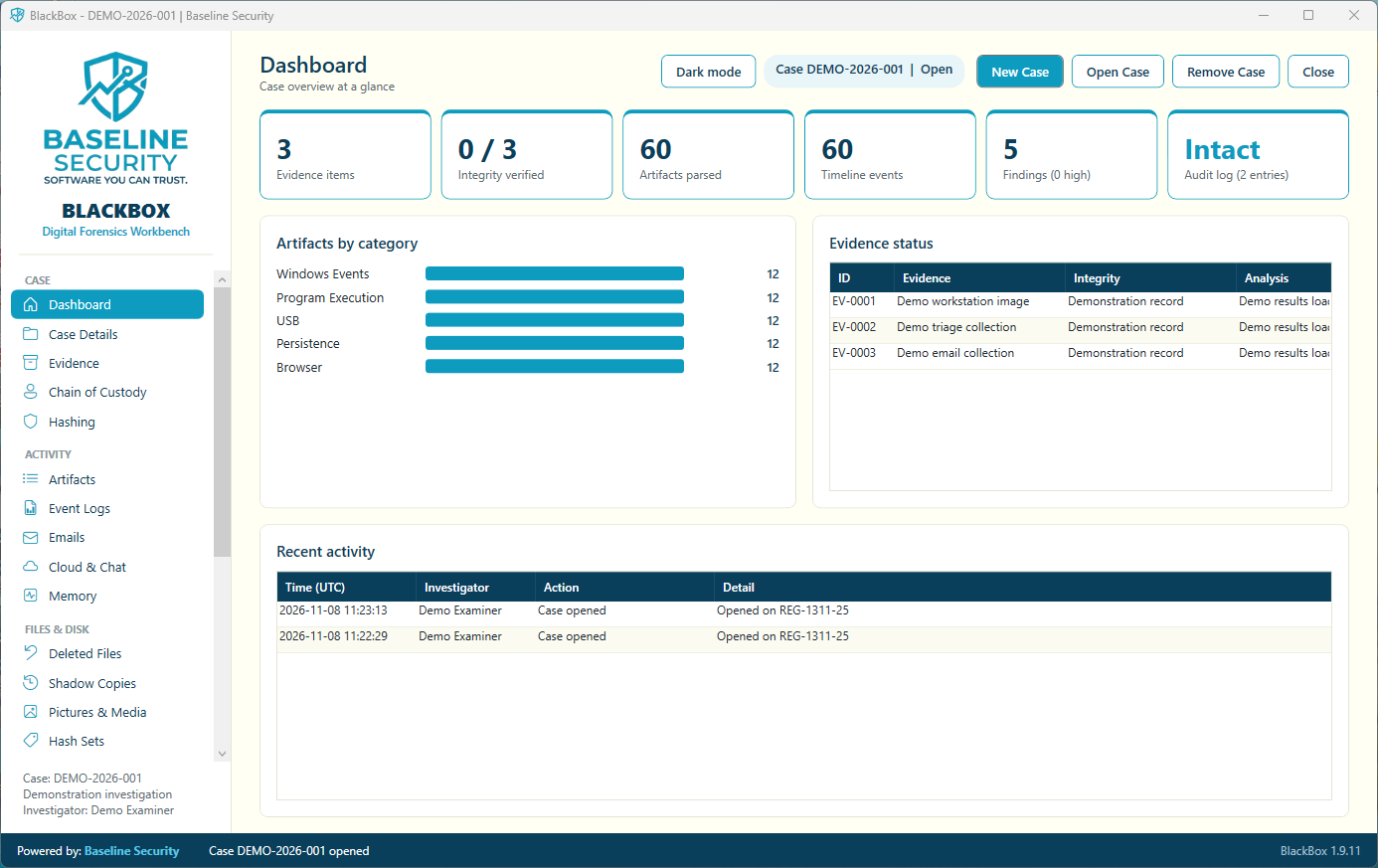
A guided tour of the actual light-mode application using a fictional demonstration case.
Actual application navigation — fictional demonstration case. Features shown may vary by edition.
What BlackBox includes
Eight examination capabilities.
From case intake to final report — all in one Windows workbench.
Cases & evidence integrity
Organize case details and evidence. Record intake hashes, verify supported triage manifests, maintain chain-of-custody entries, and review a hash-linked audit trail with integrity checks.
Disk images & Windows artifacts
Direct reading of supported E01, RAW/dd, split .001 and VHD images. Review program execution, browser activity, USB use, persistence and event logs. Other image formats may require read-only mounting or conversion.
Deleted files & earlier versions
Review NTFS deleted records and Recycle Bin metadata, carve supported file types, investigate available Volume Shadow Copies. Recovery depends on evidence, overwriting and encryption.
Timelines & focused search
Combine supported timestamps into a case timeline, search parsed artifacts and supported documents, bookmark findings with examiner notes, tags and severity.
Email, cloud & chat evidence
Supported email files, headers, extracted attachments; cloud-sync and chat application artifacts and available cached content. Recovery is limited by cache availability and encryption.
Memory analysis
Analyze an existing memory capture with supported Volatility 3 workflows or import compatible results; processes, network connections and related findings. Compatible capture files, plugins and Windows symbols are required. BlackBox does not perform memory acquisition.
Deeper investigation
File-signature mismatches, NTFS change journal, possible anti-forensic indicators, known-good and known-bad hash comparisons, media metadata, encryption indicators and sensitive-data patterns. Indicators support examiner review.
Reporting
Self-contained Technical and Executive HTML reports with selectable and reorderable sections, bookmarks, conclusions, classification labels, Draft/Final status and optional peer-review sign-off. Print or save to PDF through the browser. Chain-of-custody forms included.
Investigation workflow
From intake to report.
Create case & add evidence
Verify hashes & record custody
Analyze & review artifacts
Timeline, search & bookmark
Review conclusions & generate reports
Evidence handling
Supported read-only workflows and documented examination.
BlackBox uses supported read-only image workflows and hashed working copies for artifact parsing. Integrity checks, attribution and examiner documentation help make your work reviewable by others.
Contact us to discuss the capabilities required for your edition and use case — Professional or Educational.
What BlackBox documents
- Intake hashes for each evidence item
- Chain-of-custody entries with timestamps
- Hash-linked audit trail with integrity checks
- Examiner notes, tags and severity bookmarks
- Peer-review sign-off on reports (optional)
- Draft and Final report status labels
- Chain-of-custody forms for submission
Requirements & common questions
Two products. Different tasks.
Baseline Sentinel monitors workstation security and operational signals across your environment. BlackBox supports focused forensic examination of collected evidence. They are separate products designed for different purposes — request a demo of one or both.
Baseline Sentinel
Security & Workstation Management
Ongoing monitoring across all enrolled workstations.
Product overviewBlackBox
Digital Forensics Workbench
Focused forensic examination of collected evidence.
You are hereSee BlackBox in action.
Tell us about your evidence sources and examination workflow. Contact Baseline Security for a demonstration and pricing.